Showing posts with label Software. Show all posts

Friday, March 23, 2012

Performance settings for production weblogic deployments

Put this in the weblogic.xml under WEB-INF folder: 
<!DOCTYPE weblogic-web-app PUBLIC "-//BEA Systems, Inc.//DTD Web Application 8.1//EN" "http://www.oracle.com/technology/weblogic/servers/wls810/dtd/weblogic810-web-jar.dtd">

<weblogic-web-app>

<container-descriptor>
<servlet-reload-check-secs>-1</servlet-reload-check-secs>
</container-descriptor>

</weblogic-web-app>

For JSPs you can also set this in weblogic.xml:

<jsp-descriptor>
<jsp-param>
<param-name>pageCheckSeconds</param-name>
<param-value>-1</param-value>
</jsp-param>
</jsp-descriptor>


Unless you are altering servlet code and JSPs on the fly in production (bad idea), there is no need to ever check for changes. These two settings can help with performance because without them, Weblogic will have periodic threads blocking
requests to poll the filesystem for Servlet or JSP changes.

So by default in thread dumps you will see one or more of this sort of thing:

waiting for monitor entry [c4f7f000..c4f7fc28]
     at weblogic.servlet.internal.ServletStubImpl.checkForReload(ServletStubImpl.java:771)

unless you disable that like shown above.

Monday, September 26, 2011

Database test SQL for each vendor

When I setup a connection pool or database tool with a new database profile I like to test that it works, here are some vendor specific SQL you can use to test your db connection.

Cloudscape

#SQL SELECT 1

#DB2

#SQL SELECT COUNT(*) FROM SYSIBM.SYSTABLES

#Informix

#SQL SELECT COUNT(*) FROM SYSTABLES

#Microsoft SQL Server

#SQL SELECT COUNT(*) FROM SYSOBJECTS

#MySQL

#SQL SELECT 1

#Oracle

#SQL SELECT 1 FROM DUAL

#PointBase

#SQL SELECT COUNT(*) FROM SYSTABLES

#PostgreSQL

#SQL SELECT 1

#Progress

#SQL SELECT COUNT(*) FROM SYSTABLES

#Sybase

#SQL SELECT COUNT(*) FROM SYSOBJECTS

This is useful because you don't often know what tables exist in a database to test a query with, you can't assume select * from person would work if no person table was created. These queries are for the builtin system database resource in the specific vendor database types, they should exist even on a freshly installed or blank database server.

Friday, September 16, 2011

How do I setup SSL for my apache web server?

Here is what I did to setup SSL for an apache web server on my local 64 bit Windows 7 box.

Download Apache2 with SSL module.

Install it here C:\Program Files (x86)\Apache Software Foundation\Apache2.2

Create an APACHE_HOME environment variable, from now on this is APACHE_HOME=C:\Program Files (x86)\Apache Software Foundation\Apache2.2

Add %APACHE_HOME%\bin to the path

Make a link to fix a bug with 64-bit Windows:

mklink /D %USERPROFILE%\apache "C:\Program Files (x86)\Apache Software Foundation\Apache2.2\"
Next I did the following:


cd %APACHE_HOME%\bin   openssl req -config "%APACHE_HOME%\conf\openssl.cnf" -new -out "%USERPROFILE%\cg.csr" -keyout "%USERPROFILE%\cg.pem" 

Loading 'screen' into random state - done  Generating a 1024 bit RSA private key .. ++++++ ...................++++++ writing new private key to  'C:\Documents and Settings\Administrator\cg.pem'  Enter PEM pass phrase:  Verifying - Enter PEM pass phrase:  -----  You are about to be asked to enter information that will be  incorporated into your certificate request. What you are about to  enter is what is called a Distinguished Name or a DN. There are  quite a few fields but you can leave some blank For some fields  there will be a default value, If you enter '.', the field will be  left blank.  -----  Country Name (2 letter code) [AU]:US  State or Province Name (full name) [Some-State]:Utah  Locality Name (eg, city) []:Orem  Organization Name (eg, company) [Internet Widgits Pty Ltd]:CG, LLC  Organizational Unit Name (eg, section) []:Engineering  Common Name (eg, YOUR name) []:   Email Address []:   Please enter the following 'extra' attributes to be sent with your  certificate request A challenge password []:  An optional company name []: 

for the "YOUR" name parameter openssl asks for (domain name) I used my machine's network name. (this is important because your HTTPS urls will check for the domain name in the browser request.

Next I did this to create a key file:

openssl rsa -in "%USERPROFILE%\cg.pem" -out "%USERPROFILE%\cg.key" 
Enter pass phrase for C:\Documents and Settings\Administrator\cg.pem: writing RSA key 

Next I ran this to create a certificate file:

openssl x509 -in "%USERPROFILE%\cg.csr" -out "%USERPROFILE%\cg.cert" -req -signkey "%USERPROFILE%\cg.key" -days 365 

Loading 'screen' into random state - done  Signature ok subject=/C=US/ST=Utah/L=Orem/O=CG, LLC/OU=Engineering/CN=cg.com Getting Private key 

The %USERPROFILE%\cg.key and %USERPROFILE%\cg.cert are used by apache for encrypting data over HTTPS. I copied them into %APACHE_HOME%\conf:

copy "%USERPROFILE%\cg.key" "%APACHE_HOME%\conf"  copy "%USERPROFILE%\cg.cert" "%APACHE_HOME%\conf" 

*The excessive use of quotations(") is to account for pesky directory names with spaces fouling up the command line.


Now it is time to configure apache to enable SSL, and configure apache with your generated SSL key and certificate:

uncommment these lines in %APACHE_HOME%\conf\httpd.conf

..  LoadModule ssl_module modules/mod_ssl.so  ...  Include conf/extra/httpd-ssl.conf  ... 

Replace localhost with your fully qualified domain name or IP address in httpd.conf and extra/http-ssl.conf

ServerName cg.com:80 

Edit the extra/httpd-ssl.conf file and fix the Windows 7 bug using the soft link created earlier:

change this  SSLSessionCache        "shmcb:C:/Program Files (x86)/Apache Software Foundation/Apache2.2/logs/ssl_scache(512000)"   to this  #SSLSessionCache        "shmcb:C:/Program Files (x86)/Apache Software Foundation/Apache2.2/logs/ssl_scache(512000)"  SSLSessionCache        "shmcb:%USERPROFILE%/apache/logs/ssl_scache(512000)" 

because the (x86) in the path confuses apache !

Check that this is set and uncommented:

SSLEngine on 

Also change these values:

SSLCertificateFile "C:/Program Files (x86)/Apache Software Foundation/Apache2.2/conf/cg.cert"  SSLCertificateKeyFile "C:/Program Files (x86)/Apache Software Foundation/Apache2.2/conf/cg.key" 

Restart apache and you should be able to use https urls.


If you don't have mklink, use junction from here http://technet.microsoft.com/en-us/sysinternals/bb896768

junction "%USERPROFILE%\apache" "C:\Program Files (x86)\Apache Software Foundation\Apache2.2\"

Or make sure to change the default folder you install Apache HTTPD to one which does not contain parenthesis, I use a set of folders

C:\Apps\

C:\Tools\ as folders to install most software and avoid Program Files and Program Files (x86) default locations for this reason.


For setting up Request Forwarding (Apache as a Proxy server)

Uncomment this in httpd.conf:

LoadModule rewrite_module modules/mod_rewrite.so 

Turn off ProxyRequests (apparently the Internet will asplode if you leave it on):

ProxyRequests off

For each path you want to proxy with Apache do this:

ProxyPass ProxyPassReverse /          SetOutputFilter  proxy-html          RequestHeader    unset  Accept-Encoding  

For example, if I want to pass all requests made to the Apache web server on /CG root path to a WebSphere J2EE application server running at http://cg.com:9080/CG, then I would create this:

ProxyPass /CG http://cg.com:9080/CG  ProxyPassReverse /CG http://cg.com:9080/CG ProxyPassReverse /          SetOutputFilter  proxy-html          RequestHeader    unset  Accept-Encoding 


You may also need to uncomment these lines in httpd.conf to get some of the proxy configuration to work:

LoadModule proxy_module modules/mod_proxy.so

LoadModule headers_module modules/mod_headers.so

LoadModule proxy_module modules/mod_proxy.so


Use this command to restart apache whenever changing the httpd.conf:
httpd.exe -k restart

Also to force HTTPS for a proxy path using Apache Rewrite:

First turn on mod_rewrite in httpd.conf:

LoadModule rewrite_module modules/mod_rewrite.so 

Change your location that you want to force HTTPS to this

ProxyPassReverse /          SetOutputFilter  proxy-html          RequestHeader    unset  Accept-Encoding       RewriteEngine On      RewriteCond %{HTTPS} off       RewriteRule (.*) https://%{HTTP_HOST}%{REQUEST_URI} 


Conditional Request Headers

I need to have a redirected request from a login service which sets a response cookie for successful login, add a special header value to the request:

httpd.conf needed this:

SetEnvIf Cookie "x_ldap_userdata=([^;]+)" USERDATA=$1  SetEnvIf Cookie "x_ldap_userdata=([^;]+)" HAVE_USERDATA=1  RequestHeader append LDAP-Username "%{USERDATA}e" env=HAVE_USERDATA

Now the string

LDAP-Username:username 

will be added to the header of requests when a cookie for a similar domain and path named x_ldap_userdata has been set in the browser by the login service.

The browser is dumb and just follows the redirect but cannot be told to put a header value in the request, you must add these changes to the httpd.conf to modify the request to include a special authentication header value.

Clear as mud?


I used these links to download apache 2 with ssl and also openssl:

http://downloads.sourceforge.net/gnuwin32/openssl-0.9.8h-1-setup.exe

http://apache.osuosl.org//httpd/binaries/win32/httpd-2.2.17-win32-x86-openssl-0.9.8o.msi


Friday, August 26, 2011

dynaTrace evaluation

dynaTrace can monitor/profile .NET and Java code but I only worked with evaluation of the Java side.

Download the dynatrace full install for linux x86 and windows x86 here product download page

Obtain a license key for evaluation (file will have a name like dynaTrace_license_201107201015.key)

You must have a dynatrace account to download them (dynatrace-3.5.2.2393.msi, dynatrace-3.5.2.2393-linux-x86.jar, dynaTrace_license_201107201015.key)

page dedicated to installation

Define a dedicated VM for dynatrace server/collector, I put the full install jar on a RedHat VM which acted as my server (make sure it has 4GB of RAM)
Run this to install the jar:
java -jar dynatrace-3.5.2.2393-linux-x86.jar

With this extracted to a folder (I put it in ~\dynatrace..) you can start the dyna collector and server with these commands:

cd dynatrace
nohup ./dtserver &
nohup ./dtanalysisserver &
nohup ./dtcollector &
I then ran the install for dynatrace-3.5.2.2393.msi on my desktop, I only installed the dynatrace client on my desktop.

Now you need to copy the dynatrace/agent/lib folder to the servers you want to profile/monitor (do not copy the folder to a path with a space in it like "program files", I put them in c:\tools\dynatrace\agent\lib)

Now you can change the websphere application server JVM arguments to add the dynatrace agent :
-agentpath:"C:\Tools\dynaTrace\dynaTrace 3.5.2\agent\lib\dtagent.dll"=name=OCMWS,server=192.168.1.122
-agentpath:/root/dynatrace-3.5.2/agent/lib/libdtagent.so=name=OCM,server=192.168.1.122

Note: Edit the line above to match the path to where you copied the dynatrace agent dll/so, also give each JVM you are monitoring a different name, and finaly the IP address is the dynatrace server IP address which may be different for you.

To add this to the JVM startup on WebSphere open the IBM console and go to
Servers | application server | server1 | Java Process and Management | Process Definition | Java Virtual Machine | Generic JVM Arguments
prepent the full -agentpath value to the Generic JVM arguments
Click ok and Save your changes, double check that the save took place by entering the console again and checking the generic jvm argument for the new value.

You will have to restart WebSphere to have the JVM startup with the new startup JVM arguments.

Launch the dynaTrace client after doing the above, tools | settings | dynatrace server | connectivity | put in the host IP address.
default values for login are admin:admin, port 2021, test the connection, it should be a green arrow and say success.

Click License, attach the license .key file for dynatrace evaluation: dynaTrace_license_201107201015.key.

Use online videos to see how to use the client to slice and dice the data from the agents and profile your application.
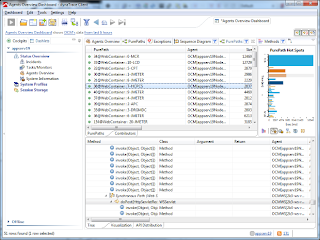
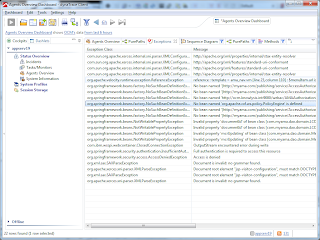


There is no license for the client so you can export captured data and give it to anyone with the client installed and they can view the details of the session and use the client to troubleshoot and make changes.


Thursday, July 28, 2011

Use OutputStreamWriter not FileWriter

Search your Java code for FileWriter and replace it with OutputStreamWriter... especially if you write UTF-8 encoded documents. You can run into a nasty problem where you develop your Java code on Linux and then when it runs on Windows, character encoding problems crop up. FileWriter uses a OS System setting to determine what encoding to use, so it will change depending on what OS runs the Java code!

Here is an example of how to use OutputStreamWriter for UTF-8 encoded output.
         OutputStreamWriter out = null;
try {
try {
out = new OutputStreamWriter(new FileOutputStream(outputFile),"UTF-8");
} catch (UnsupportedEncodingException e) {
throw new RuntimeException(e.getMessage,e);
}
try {
out.append(yourStringDataToWriteToOutputFile);
out.flush();
} catch (IOException e) {
throw new RuntimeException(e.getMessage,e);
}
} catch (FileNotFoundException e) {
throw new RuntimeException(e.getMessage,e);
} finally {
try {
out.close();
} catch (IOException e) {
throw new RuntimeException(e.getMessage,e);
}
}

Hope this helps you get past file character encoding bugs with Java. Here is a great link on various Java Anti-Patterns which should be avoided when writing enterprise class robust code:

Tuesday, September 14, 2010

Tynt programming assignment (Part 5)

Here is my implementation of a Hash collection for Integers:
package com.tynt.app.util;

public class IntegerHash {
public static final int BUFFER_SIZE = 100;

private IntegerList values;
private IntegerList valueCounts;

public IntegerHash() {
values = new IntegerList();
valueCounts = new IntegerList();
}

public boolean hasInteger(Integer value) {
if (value == null) {
return false;
}
for(int i=0;i < values.size();i++) {
if (values.get(i).compareTo(value) == 0) {
return true;
}
}
return false;
}

public Integer getIntegerCount(int index) {
return valueCounts.get(index);
}

public Integer getIntegerIndex(Integer value) {
for(int i=0;i < values.size();i++) {
if (values.get(i).compareTo(value) == 0) {
return i;
}
}
return -1;
}

public void incrementIntegerCount(Integer value) {
int integerIndex = getIntegerIndex(value);
valueCounts.put(integerIndex, getIntegerCount(integerIndex)+1);
}

public void addInteger(Integer value) {
if (!hasInteger(value)) {
values.concatenate(value);
valueCounts.concatenate(1);
} else {
incrementIntegerCount(value);
}
}

public IntegerList getIntegers() {
IntegerList vals = new IntegerList();
for(int i = 0; i < values.size(); i++) {
vals.concatenate(values.get(i));
}
return vals;
}

public Integer getIntegerFrequency(Integer value) {
if (hasInteger(value)) {
int index = getIntegerIndex(value);
return getIntegerCount(index);
} else {
return 0;
}
}
}

As you can see, I re-used the IntegerList collection in the Hash collection. Since I am not sorting the IntegerList, I have to iterate through the entire key IntegerList to check for a key in the hash, with a sorted key IntegerList, I could short circuit after the key was larger than the sorted key it was compared with. I am also not implementing a hash algorithm at all, so the collection was not named very well. Implementing a true hash collection was not part of the assignment so I didn't worry about it.

Here is assignment5 using the above collection:
package com.tynt.app;

import java.io.BufferedReader;
import java.io.IOException;
import java.io.InputStream;
import java.io.InputStreamReader;

import com.tynt.app.util.*;

public class Assignment5 implements InputReader {

public String readFile(InputStream is) {
BufferedReader d = new BufferedReader(new InputStreamReader(is));
String line;
IntegerHash unsortedHash = new IntegerHash();
try {
line = d.readLine();
while (line != null) {
Integer value = null;
try {
value = new Integer(Integer.parseInt(line));
} catch (NumberFormatException e) {
throw new RuntimeException(e);
}
unsortedHash.addInteger(value);
line = d.readLine();
}
} catch (IOException e) {
throw new RuntimeException(e);
}
StringBuilder sb = new StringBuilder();
IntegerList sortedList = IntegerList.quicksort(unsortedHash.getIntegers());
if (sortedList == null) {
sortedList = new IntegerList();
}
for (int i=0;i < sortedList.size();i++) {
sb.append(sortedList.get(i));
sb.append(" - ");
sb.append(unsortedHash.getIntegerFrequency(sortedList.get(i)));
sb.append(NEW_LINE);
}
return sb.toString();
}

}

Finally, with all of the Assignment objects implemented and the tests passing, I can implement the Driver for the project:
package com.tynt.app;

import java.io.*;
import com.tynt.app.util.*;

/**
* Tynt programming challenge
*
* @author Four Gables Guy
*
*/
public class App {
public static final String header = "********************";

public static void main(String[] args) throws IOException {
String choice = displayChoices();
while (choice.equals("1") || choice.equals("2") || choice.equals("ALL")) {
parseChoice(choice);
if (choice.equals("ALL")) {
break;
}
choice = displayChoices();
}
}

public static void parseChoice(String choice) throws IOException {
if (choice.equals("1")) {
doAssignment2();
} else if (choice.equals("2")) {
doAssignment3();
} else if (choice.equals("ALL")) {
doAssignment2();
doAssignment3();
}
}

public static String displayChoices() {
System.out.println(header);
System.out.println("Enter 1 to parse " + InputReader.INPUT_FILE
+ " and print numbers sorted ascending.");
System.out.println("Enter 2 to parse " + InputReader.INPUT_FILE
+ " and print numbers sorted ascending.");
System.out.println("Enter any other characters to quit.");
System.out.println(header);
Console console = System.console();
if (console == null) {
return "ALL";
} else {
String line = console.readLine();
line = line.trim();
return line;
}
}

public static void doAssignment2() throws IOException {
Assignment4 assignment4 = new Assignment4();
FileInputStream is = new FileInputStream(new File(
InputReader.INPUT_FILE));
System.out.println(assignment4.readFile(is));
}

public static void doAssignment3() throws IOException {
Assignment5 assignment5 = new Assignment5();
FileInputStream is = new FileInputStream(new File(
InputReader.INPUT_FILE));
FileOutputStream os = new FileOutputStream(new File(
InputReader.OUTPUT_FILE));
String output = assignment5.readFile(is);
System.out.println(output);
os.write(output.getBytes());
os.flush();
os.close();
}
}

It is a bit confusing that I named the method's doAssignment2 and doAssignment3 but use Assignment4 and Assignment5 objects. I should have named these assignment classes better. Again it was a small programming assignment, and an easy refactor. Overall, I do think I did a decent job with this assignment and benefitted from the effort.

I created a handy batch file to execute the code called tynt.bat which does this:
java -cp target\program_assignment-1.0-SNAPSHOT.jar com.tynt.app.App

Monday, September 13, 2010

Tynt programming assignment (Part 4)

Finally, here is where I have to implement the sorting algorithm and collection. I created a List collection I called IntegerList:
package com.tynt.app.util;

public class IntegerList {
public static final int BUFFER_SIZE = 100;
private Integer[] internalArray;
private int size;

public IntegerList() {
internalArray = new Integer[BUFFER_SIZE];
size = 0;
}

public IntegerList(int size) {
if (size < 0) {
throw new RuntimeException("Cannot create IntegerList with negative size");
}
internalArray = new Integer[size];
size = 0;
}

public int size() {
return size;
}

public void put(int index, Integer value) {
if (index > -1 && index < size) {
internalArray[index] = value;
} else {
throw new RuntimeException("Cannot put value "+value+" at index "+index+" IntegerList has size "+size);
}
}

public void concatenate(Integer value) {
if (value == null) {
throw new RuntimeException("Cannot concatenate null values");
}
if (size + 1 == internalArray.length) {
Integer[] temp = new Integer[internalArray.length + BUFFER_SIZE];
System.arraycopy(internalArray, 0, temp, 0,
internalArray.length);
internalArray = temp;
}
internalArray[size++] = value;
}

public void concatenate(IntegerList values) {
for (int i = 0 ; i < values.size(); i++) {
concatenate(values.get(i));
}
}

public Integer get(int index) {
if (index > -1 && index < size) {
return internalArray[index];
} else {
throw new RuntimeException("Cannot access value at "+index+" in IntegerList size "+size);
}
}

public Integer remove(int index) {
if (index > -1 && index < size) {
Integer result = get(index);
IntegerList integerList = new IntegerList();
for(int i = 0; i < size; i++) {
if (i != index) {
integerList.concatenate(get(i));
}
}
internalArray = integerList.internalArray;
size = size - 1;
return result;
} else {
throw new RuntimeException("Cannot access value at "+index+" in IntegerList size "+size);
}
}

public static IntegerList quicksort(IntegerList unsorted) {
IntegerList less = new IntegerList();
IntegerList greater = new IntegerList();
if (unsorted.size() <= 1) {
return unsorted;
}
Integer pivot = selectPivot(unsorted);
for(int i = 0; i < unsorted.size(); i++) {
Integer value = unsorted.get(i);
if (value <= pivot) {
less.concatenate(value);
} else {
greater.concatenate(value);
}
}
return concatenate(quicksort(less), pivot, quicksort(greater));
}

public static Integer selectPivot(IntegerList unsorted) {
if (unsorted == null || unsorted.size() < 2) {
throw new RuntimeException("Cannot select pivot on empty or single element list");
}
int pivotIndex = unsorted.size() / 2;
return unsorted.remove(pivotIndex);
}

public static IntegerList concatenate(IntegerList less, Integer pivot, IntegerList greater) {
if (less == null | pivot == null || greater == null) {
throw new RuntimeException("Cannot concatenate null values");
}
IntegerList finalList = new IntegerList(less.size()+1+greater.size());
finalList.concatenate(less);
finalList.concatenate(pivot);
finalList.concatenate(greater);
return finalList;
}
}

IntegerList implements a quicksort method which returns the IntegerList as a sorted IntegerList. My implementation of quicksort has several drawbacks:

  • I create additional collections (less,greater,etc...) for each invocation of quicksort and concatenate, so lots of memory could be used up with a long list to sort. It would be less memory to sort the list in-place without recursion/extra collections.
  • Speaking of recursion, too much recursion could cause a stack overflow as well.
With IntegerList implemented, I can use it to implement Assignment4:
package com.tynt.app;

import java.io.BufferedReader;
import java.io.IOException;
import java.io.InputStream;
import java.io.InputStreamReader;

import com.tynt.app.util.*;

public class Assignment4 implements InputReader {

public String readFile(InputStream is) {
BufferedReader d = new BufferedReader(new InputStreamReader(is));
String line;
IntegerList unsortedList = new IntegerList();
try {
line = d.readLine();
while (line != null) {
Integer value = null;
try {
value = new Integer(Integer.parseInt(line));
} catch (NumberFormatException e) {
throw new RuntimeException(e);
}
unsortedList.concatenate(value);
line = d.readLine();
}
} catch (IOException e) {
throw new RuntimeException(e);
}
StringBuilder sb = new StringBuilder();
IntegerList sortedList = IntegerList.quicksort(unsortedList);
if (sortedList == null) {
sortedList = new IntegerList();
}
for (int i=0;i < sortedList.size();i++) {
sb.append(sortedList.get(i));
sb.append(NEW_LINE);
}
return sb.toString();
}

}

Still need to implement the Hash collection and driver.

Sunday, September 12, 2010

Tynt programming assignment (Part 3)

I glossed over creating the Assignment1-5 java files in the last post, this was done by first right clicking in eclipse and creating a package under this folder:
src\main\java\com\tynt\app
called
com.tynt.app
Then right clicking the empty package and creating new Class (Assignment1) adding the InputReader interface to the class and stubbing out the interface method:
public String readFile(InputStream is) {
return null;
}

Just so you know.

For Assignment1 I just wanted to get the code for reading and creating a string from the input stream working:

package com.tynt.app;

import java.io.*;

import com.tynt.app.util.InputReader;

public class Assignment1 implements InputReader {

/**
* @return contents of the InputStream as a String
*/
public String readFile(InputStream is) {
BufferedReader d = new BufferedReader(new InputStreamReader(is));
String line;
StringBuilder sb = new StringBuilder();
try {
line = d.readLine();
while (line != null) {
sb.append(line);
sb.append(NEW_LINE);
line = d.readLine();
}
} catch (IOException e) {
throw new RuntimeException(e);
}
return sb.toString();
}
}
For Assignment2 I decided to use the built-in Java collections classes to test what the output of my custom collection should look like:
package com.tynt.app;

import java.io.*;
import java.util.*;

import com.tynt.app.util.InputReader;

public class Assignment2 implements InputReader {

/**
* @return is list of numbers sorted in ascending order
*/
public String readFile(InputStream is) {
BufferedReader d = new BufferedReader(new InputStreamReader(is));
String line;
SortedSet sortedList = Collections.synchronizedSortedSet(new TreeSet());
try {
line = d.readLine();
while (line != null) {
Integer value = null;
try {
value = new Integer(Integer.parseInt(line));
} catch (NumberFormatException e) {
throw new RuntimeException(e);
}
sortedList.add(value);
line = d.readLine();
}
} catch (IOException e) {
throw new RuntimeException(e);
}
StringBuilder sb = new StringBuilder();
for(Integer i: sortedList) {
sb.append(i);
sb.append(NEW_LINE);
}
return sb.toString();
}

}
Again with Assignment3, I used built-in collections to check what the output should be for the histogram:
package com.tynt.app;

import java.io.BufferedReader;
import java.io.IOException;
import java.io.InputStream;
import java.io.InputStreamReader;
import java.util.*;

import com.tynt.app.util.InputReader;

public class Assignment3 implements InputReader {

/**
* @return sorted list of numbers and their frequency
*/
public String readFile(InputStream is) {
BufferedReader d = new BufferedReader(new InputStreamReader(is));
String line;
SortedMap sortedMap = Collections.synchronizedSortedMap(new TreeMap());
try {
line = d.readLine();
while (line != null) {
Integer value = null;
try {
value = new Integer(Integer.parseInt(line));
} catch (NumberFormatException e) {
throw new RuntimeException(e);
}
Integer frequency = 1;
if (sortedMap.containsKey(value)) {
frequency = sortedMap.get(value);
frequency += 1;
}
sortedMap.put(value, frequency);
line = d.readLine();
}
} catch (IOException e) {
throw new RuntimeException(e);
}
StringBuilder sb = new StringBuilder();
for(Integer key: sortedMap.keySet()) {
Integer frequency = sortedMap.get(key);
sb.append(key);
sb.append(" - ");
sb.append(frequency);
sb.append(NEW_LINE);
}
return sb.toString();
}

}
Assignment4 and Assignment5 actually adhered to the restriction of no built-in collections.

About Me

My photo
Lead Java Developer Husband and Father

Tags